

PCIE to USB 3.2 Gen 1 Extension Card, 5-Port 5 Gbps PCI Express Expansion Card 3 USB Type A&2 Type C Ports USB 3.0 Hub Controller Adapter Compatible with Windows 7/8/10/11/XP, with Linux
Product details
| Management number | 216991719 | Release Date | 2026/04/19 | List Price | $12.00 | Model Number | 216991719 | ||
|---|---|---|---|---|---|---|---|---|---|
| Category | |||||||||
Specification:Item Type: PCIe to USB 3.2 Gen 1 CardMaterial:PCBBus Type: PCIEInterface: 2 x USB Type C, 3 x USB Type A, 19pinSystem Compatibility: Supports for Windows 7 8 10 11 (32, 64 bit), for Linux, for Windows 11 desktops, for Windows 8950Bandwidth: 5 GbpsFunction:Hard Disk Expansion TransferScope of Application:DesktopPackage List:1 x Adapter CardNote1. The USB expansion card only supports data transfer, not PD fast charging and video signal transfer (DisplayPort, HD Multimedia Interface, VGA display conversion) and USB C for Thunderbolt protocol.2. Not compatible with Mac OS system
- 5-Port: The TevzaTechix PCIe Card features 3 USB Type-A ports and 2 USB Type-C ports, compatible with all USB-enabled devices such as keyboards, mice, external hard drives, VR headsets and more
- Multi-System Compatibility: This desktop expansion card works with Windows 7/8/10/11/XP (32/64-bit) and Linux. Not compatible with macOS. Plug-and-play for Windows 8/10/11 and Linux — no drivers required
- High-Speed Transfer: USB 3.2 Gen 1 (aka USB 3.0) delivers blazing-fast data speeds up to 5Gbps — 10x faster than USB 2.0 — enabling quick file access and transfers. Note: Actual speeds are limited by connected device specifications
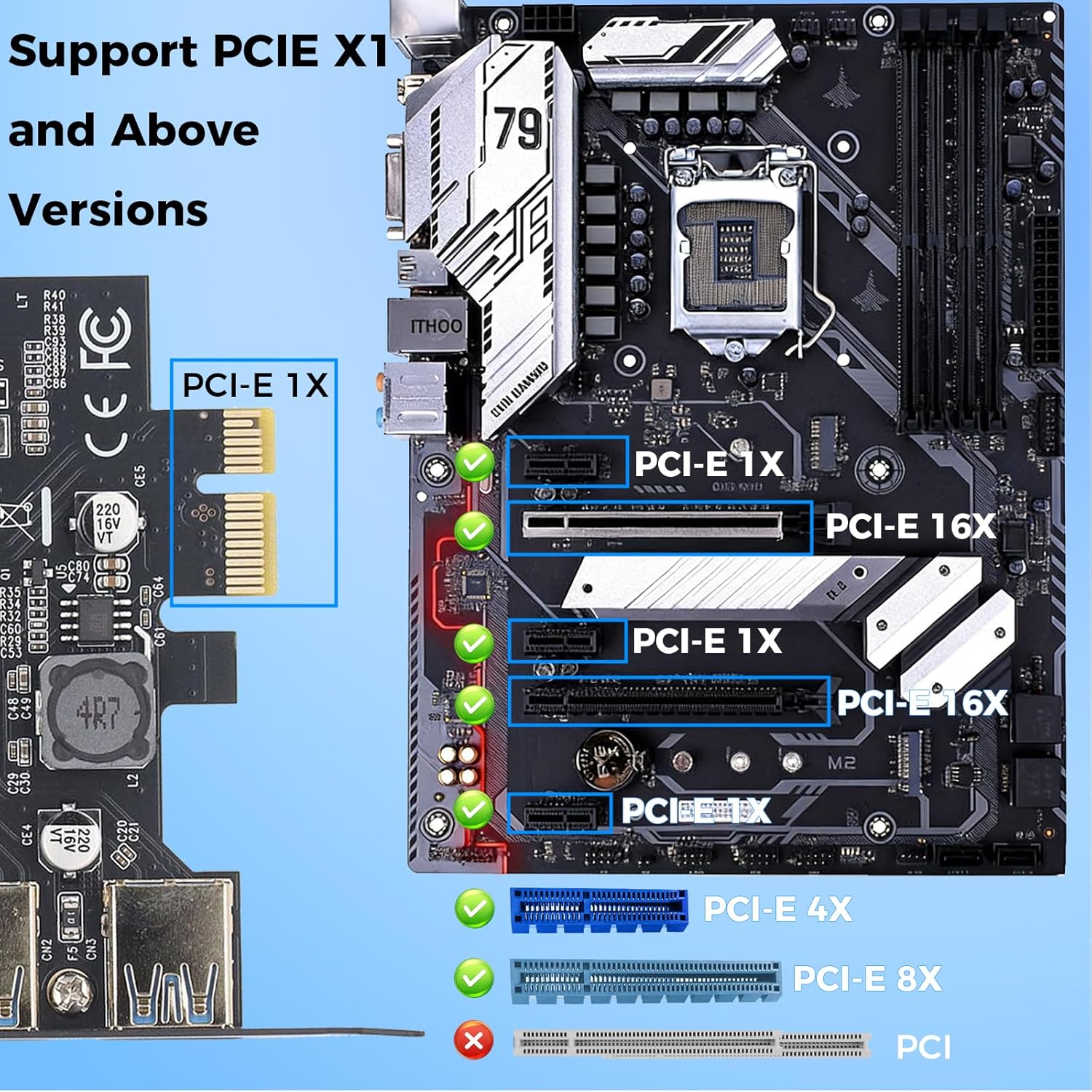
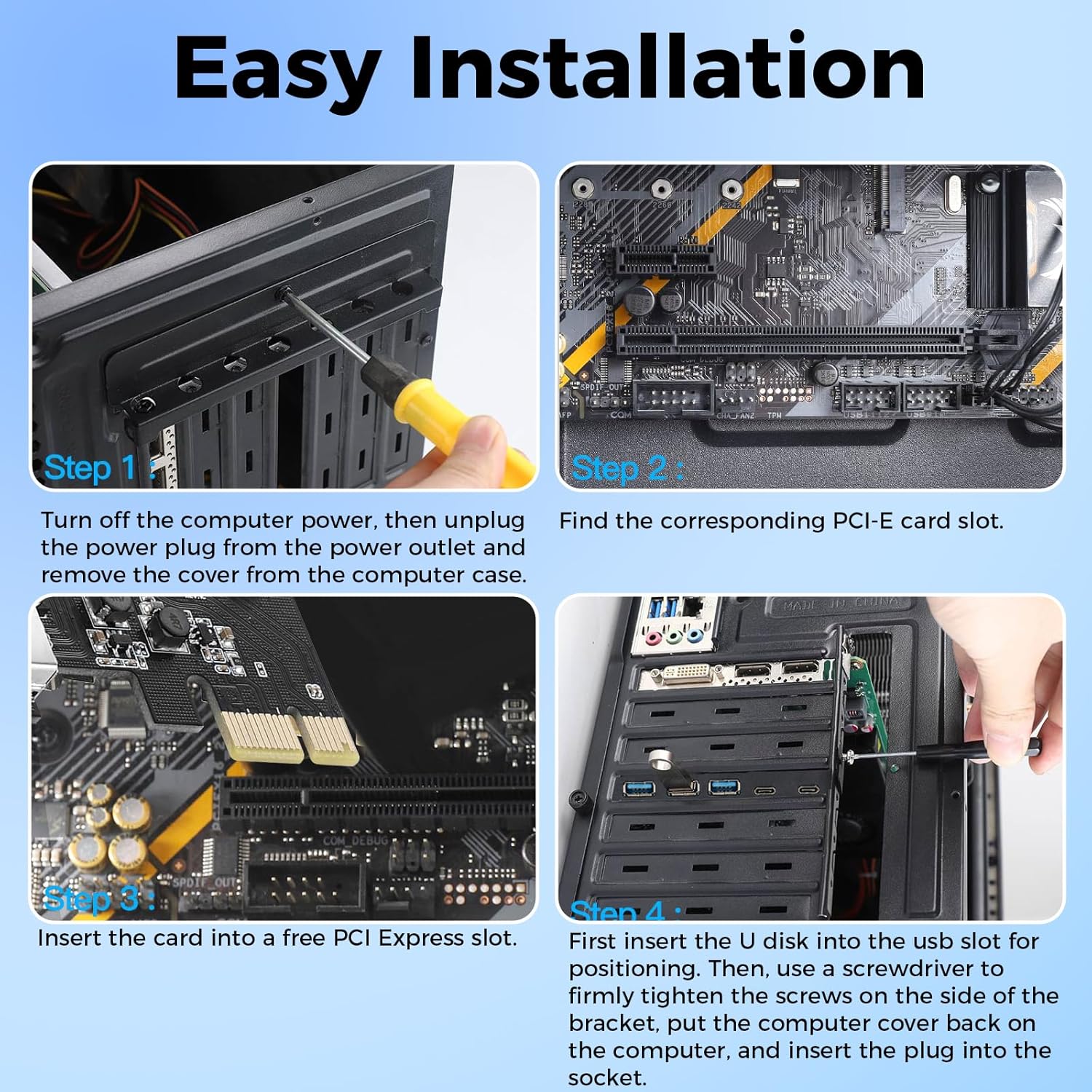
- Installation Tips: Power off your PC and unplug it. Open the case, insert the card into a PCIe slot (compatible with x1/x4/x8/x16 slots), tighten the screws, close the case and power on
- Power Supply: This expansion card draws basic power from the PCIe slot. For high-power devices or multi-device simultaneous use, we recommend connecting a SATA power cable from the case power supply for auxiliary power
| Brand | TevzaTechix |
|---|---|
| Manufacturer | TevzaTechix |



Correction of product information
If you notice any omissions or errors in the product information on this page, please use the correction request form below.
Correction Request Form